OnDevice
OnDevice
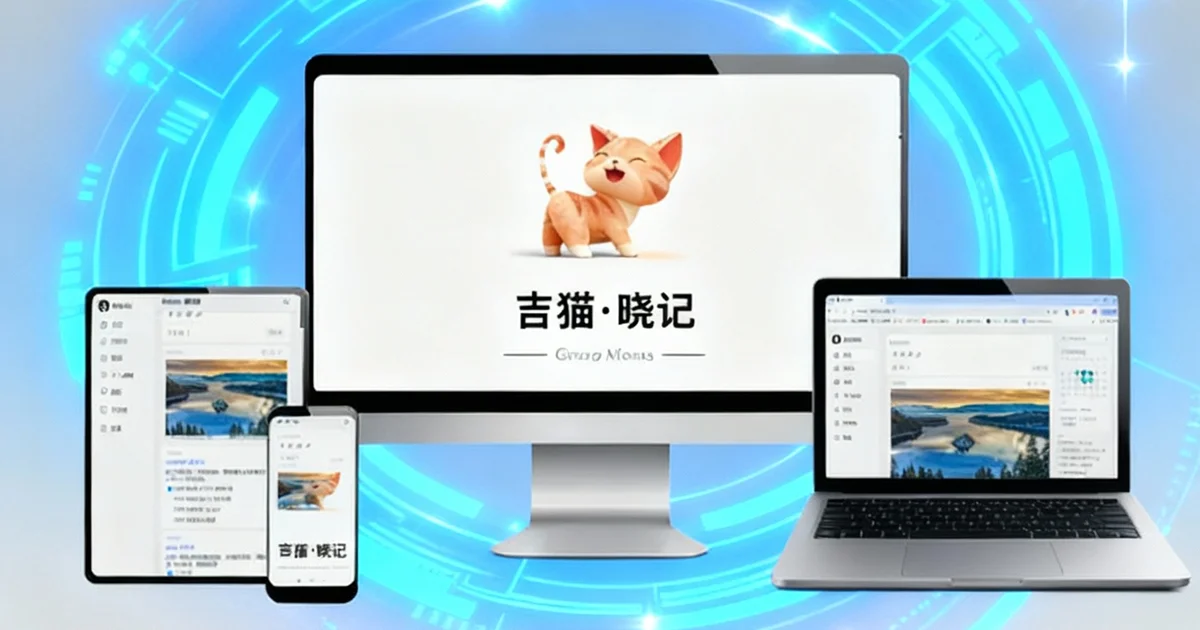
OnDevice = your phone is both a "private safe" and a "portable server"
It is not a new protocol but a trade-off: move the server from a vendor’s data centre back onto your own device. The cost is keeping a phone powered on; the reward is that the data, the account and the off switch are all yours.
In one sentence: cloud services put the program and the data in someone else’s data centre; OnDevice puts them back in your pocket.
What Gimao does is turn open-source software that used to require renting a server, buying a NAS and writing shell commands into an Android app you simply install. Once it is installed:
- Phone = server: the service exists only while the app runs on your phone, and you can switch it off whenever you like;
- Data = local files: notes, photos and bookmarks live in the phone’s local database and never touch a cloud;
- Access = local network: any computer, tablet or TV on the same Wi-Fi can open it in a browser;
- Boundary = you: no public IP, no domain, no account registration, and no third party that can read your data.
The fundamental difference from a cloud service is data ownership: if the data does not sit on someone else’s server, nobody can suspend your account, review your content or delete it. That also means backups are your job — which is fine, because OnDevice data is always a standard file you can carry with you and import on a new phone.
In short: OnDevice turns “running a private cloud” from something you study, buy and maintain into something anyone can do in five minutes.
OnDevice VS SAAS
| Key Features | OnDevice | SAAS |
|---|---|---|
| Cost | No hardware, no subscription A spare phone is the server | Monthly / yearly plans More storage and features cost more |
| Data ownership | 100% yours Back up, export or delete at will | Owned by the platform The platform can suspend service and limit exports |
| Privacy | Stays on the phone No upload, no tracking, no analytics | Stored on third-party servers Exposure and content-review risk |
| Works offline | Read and write offline Access needs the LAN, not the internet | Needs the network Barely usable when offline |
| Setup effort | Install the app No command line, no configuration | Sign up No technical skill needed |
| Maintenance | Ships with the app No separate server to maintain | Handled by the platform Nothing for the user to do |
| Moving data | One-click export, open formats No lock-in when you switch tools | Platform-specific formats Some platforms refuse bulk export |
| Device count | Unlimited Connect as many devices as you like | Usually tiered by plan Free tiers limit devices |
Three steps to get started
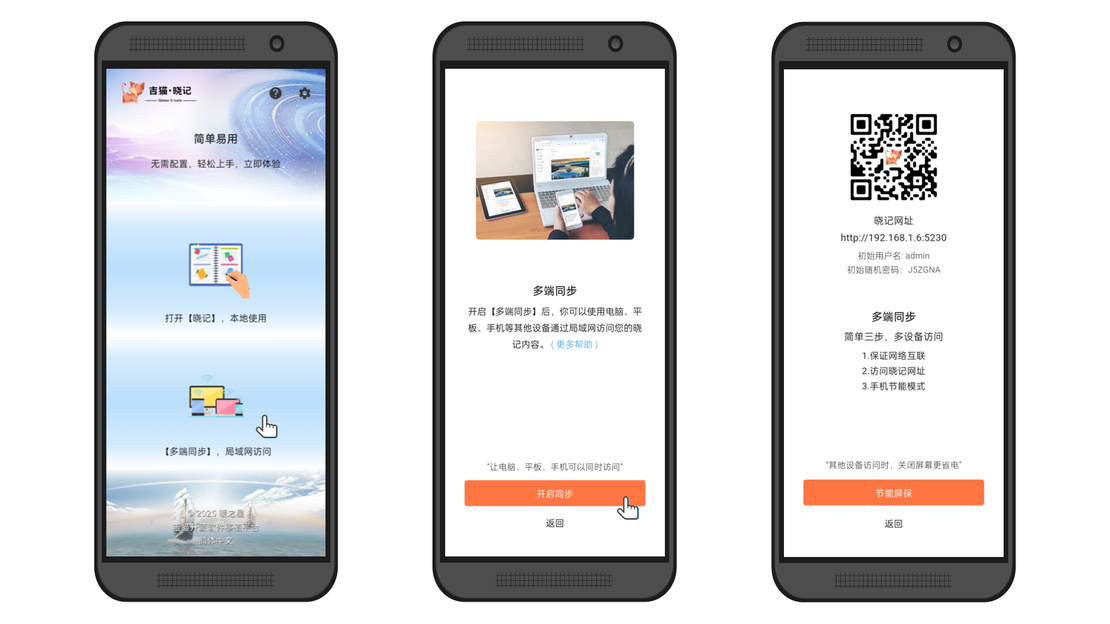
Start the Gimao app
Download any Android app from the Gimao series on this site or from an app store, then switch on cross-device sync on its home screen.
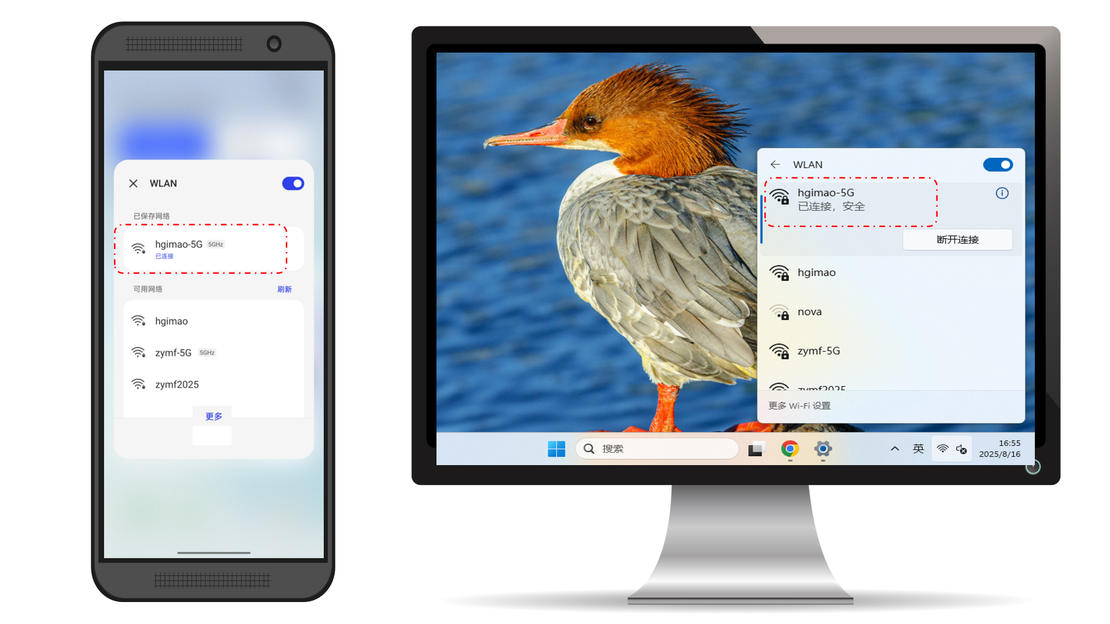
Join the same network
Connect your computer or tablet to the same Wi-Fi as the phone running the Gimao app, or join the phone's hotspot.
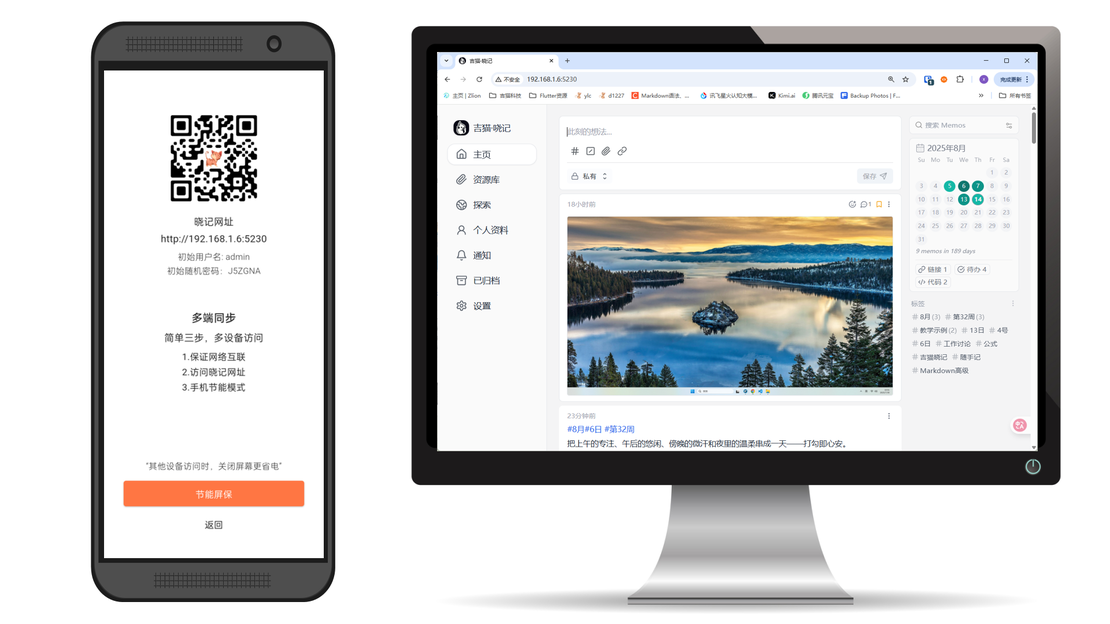
Open the address in a browser
Open the service address shown on the cross-device sync page in any browser to use it.
List of open-source software that have been ported
Frequently Asked Questions
Answers to common questions about our products and services
It means running the server program and its data on hardware you own instead of a vendor’s servers. Gimao ports open-source software into Android apps, so the phone is the host and any device on the same LAN can open it in a browser.
The difference is data ownership: cloud data sits on the platform’s servers, OnDevice data sits on your phone. Cloud services can throttle, cap, shut down or review content; OnDevice has none of those steps — and in exchange, backups are up to you.
No. It is three steps: install the app, join the same Wi-Fi, open the address in a browser. No command line, no domain, no public IP and no extra hardware — a spare phone is enough.
Data lives in the phone’s local database and files and is never uploaded. Losing a phone is like losing a wallet, so export a one-click backup regularly and keep it on a computer or drive; backups are standard files that restore on a new phone.
OnDevice is designed for local network access, which is exactly why it needs no public IP. Remote access requires your own VPN or tunnel (an extra step Gimao does not enable by default, and your traffic never passes through us).
Several at once — each uses its own port, so a single spare phone can serve as your notes vault, drive, bookmark library and kanban board at the same time.